* Currently enrolled countries include Estonia, Norway, Belgium, Finland, Bulgaria, Denmark, Lithuania, Luxembourg, Latvia, Spain, Sweden, Austria, Slovenia, Czech Republic, Slovakia, Poland and The Netherlands
Not yet using dynamic pricing? You can still future-proof your energy system
To fully benefit from dynamic pricing, make the small investment of installing a SolarEdge Energy Meter today, to protect your savings in tomorrow's energy landscape.
When do negative rates occur?
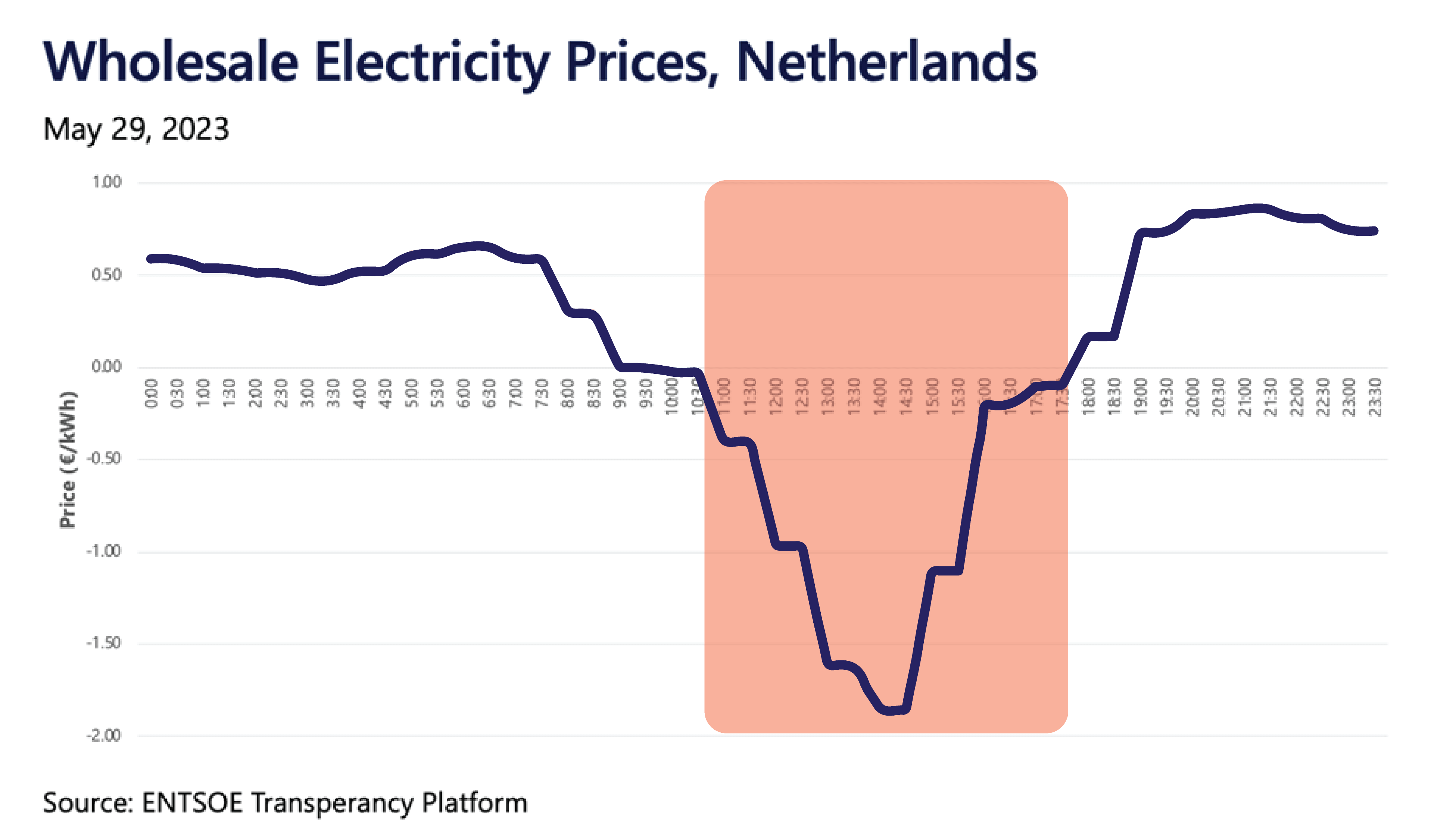
Typically, during periods of low electricity demand and high renewable energy production, grid operators penalize system owners who export excess electricity to the grid – referred to as negative utility rates.
Some typical day-ahead dynamic rate graphs are shown here. The area within the rectangle indicates the times and the duration where you can expect negative prices for exported energy.
How does SolarEdge's NRO feature work?
- When enabled, the NRO feature will automatically monitor your utility's import/export rates
- If export rates are negative, no energy will be exported to the grid and your system will be optimized for local consumption
- If both import and export rates are negative, energy production will be stopped, meaning your PV system will not supply AC power to your premises
System behavior overview
When Export rate = Negative and Import rate = Positive
- Without a meter: production is stopped to avoid utility charges for your exported energy
- With an import/export meter: no energy is exported to the grid (Zero Export) and solar is used to cover your consumption (you still pay for grid usage)
When both Export and Import rates = Negative
- Without a meter: production is stopped to avoid utility charges for your exported energy
- With an import/export meter: production is stopped as you still benefit more when consuming energy from the grid
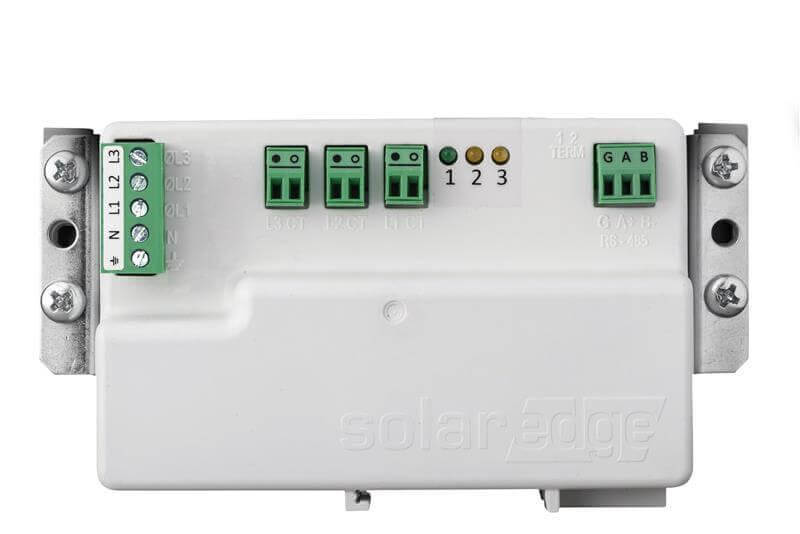
Unlock savings with the SolarEdge Energy Meter
- Easily ordered from your local installer, the meter maximizes your savings when NRO is enabled
- During negative rate periods, the meter keeps your system producing, increasing self-consumption by powering your site loads
- Small and easy to install - it fits into standard electrical panels
- Supports highly accurate readings (up to ±1.25%) for production/consumption monitoring and export limitation
- Download the datasheet
Let’s Start!
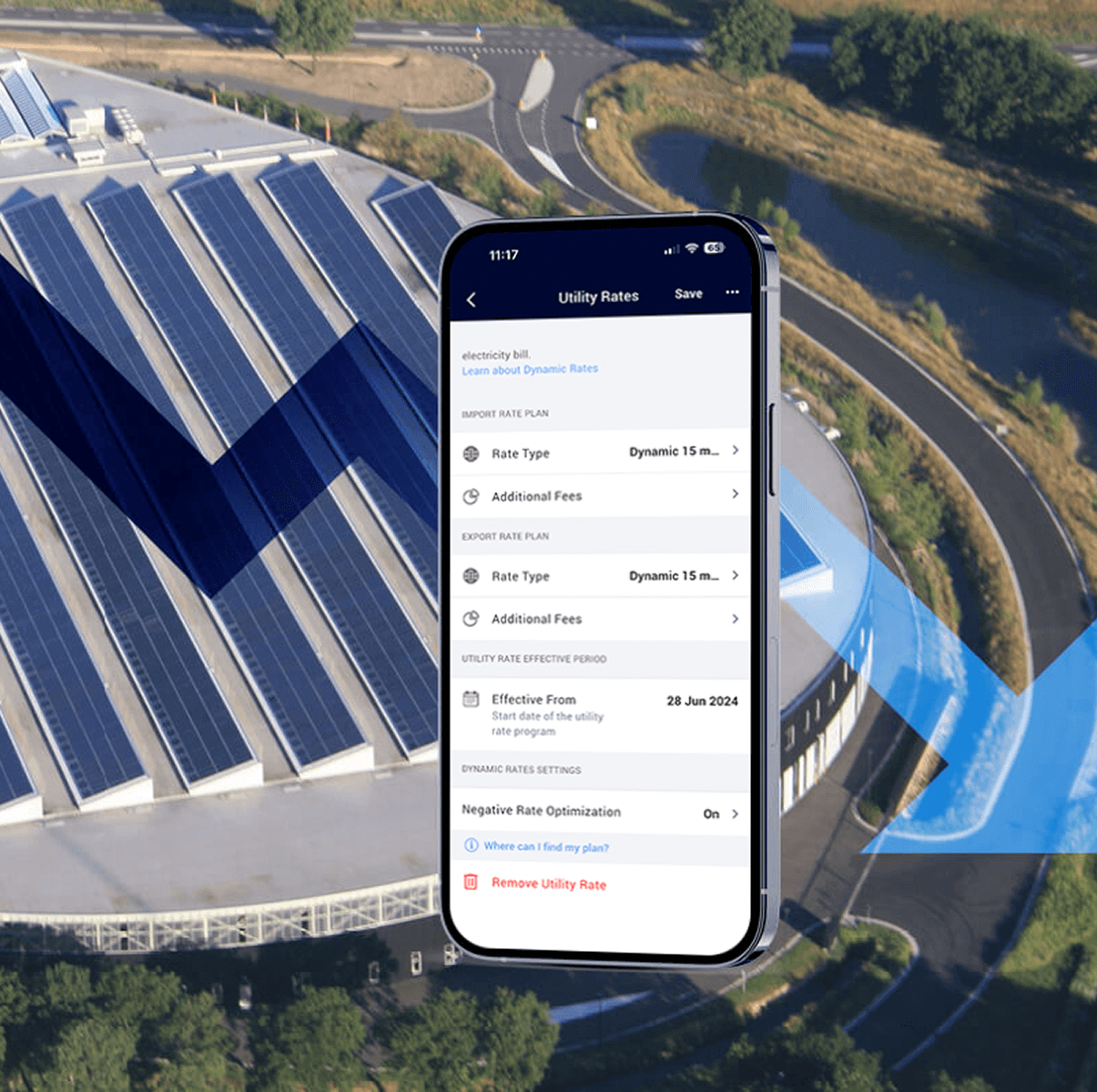
How to implement Negative Rate Optimization in mySolarEdge


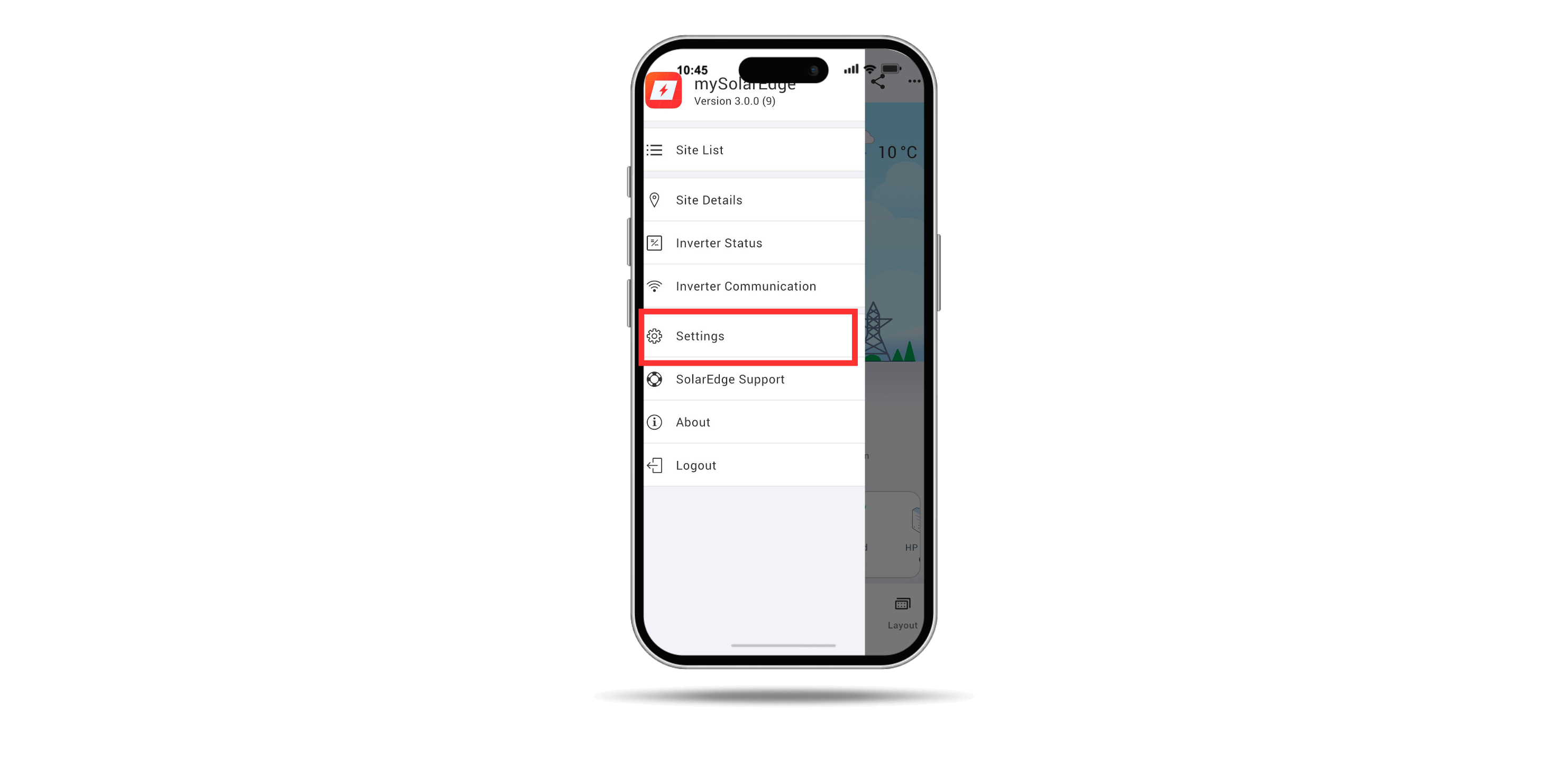
Open mySolarEdge. Tap the menu button and then tap Settings
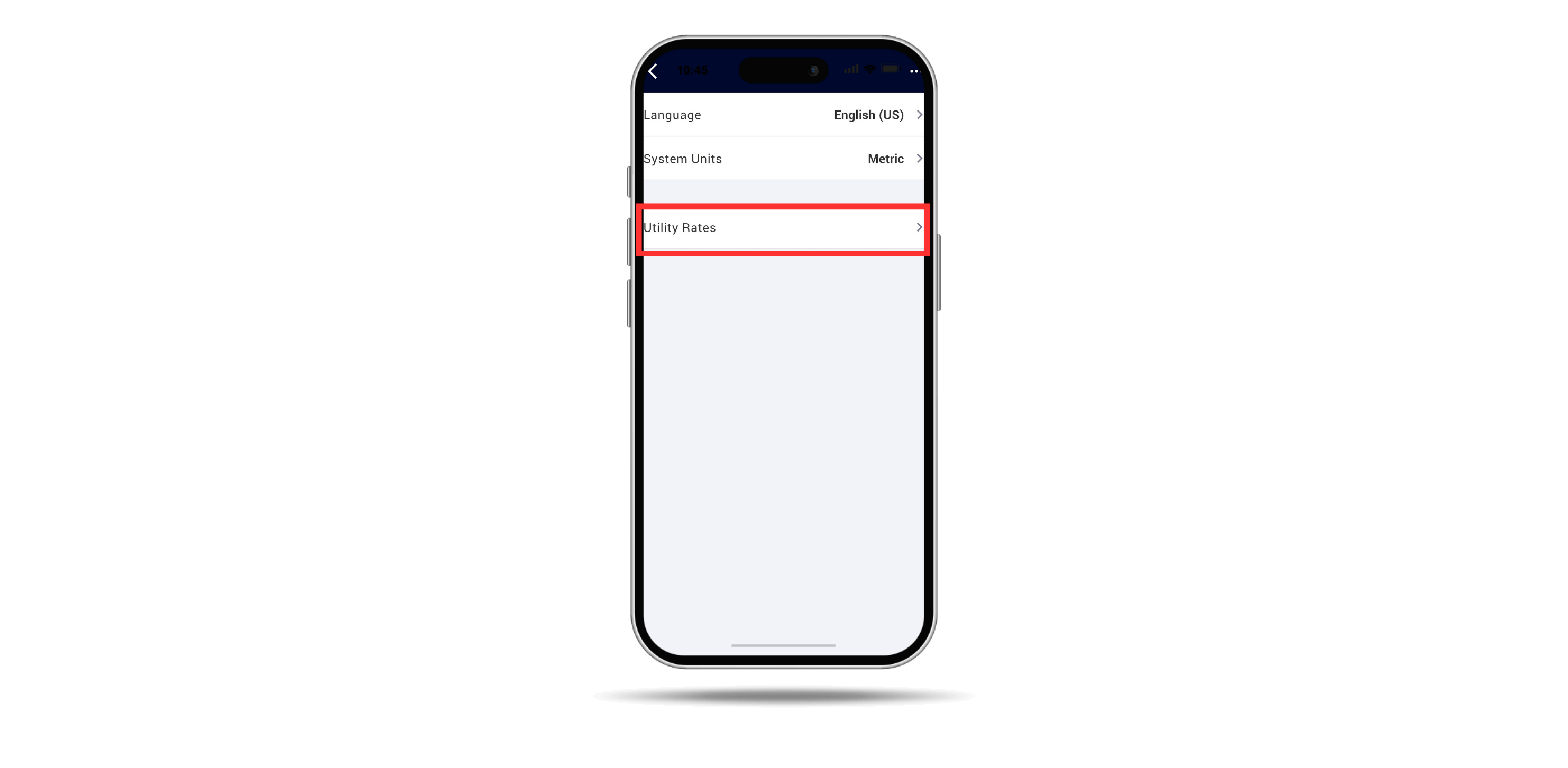
Tap Utility Rates and specify the relevant rate plan according to Wholesale market rates
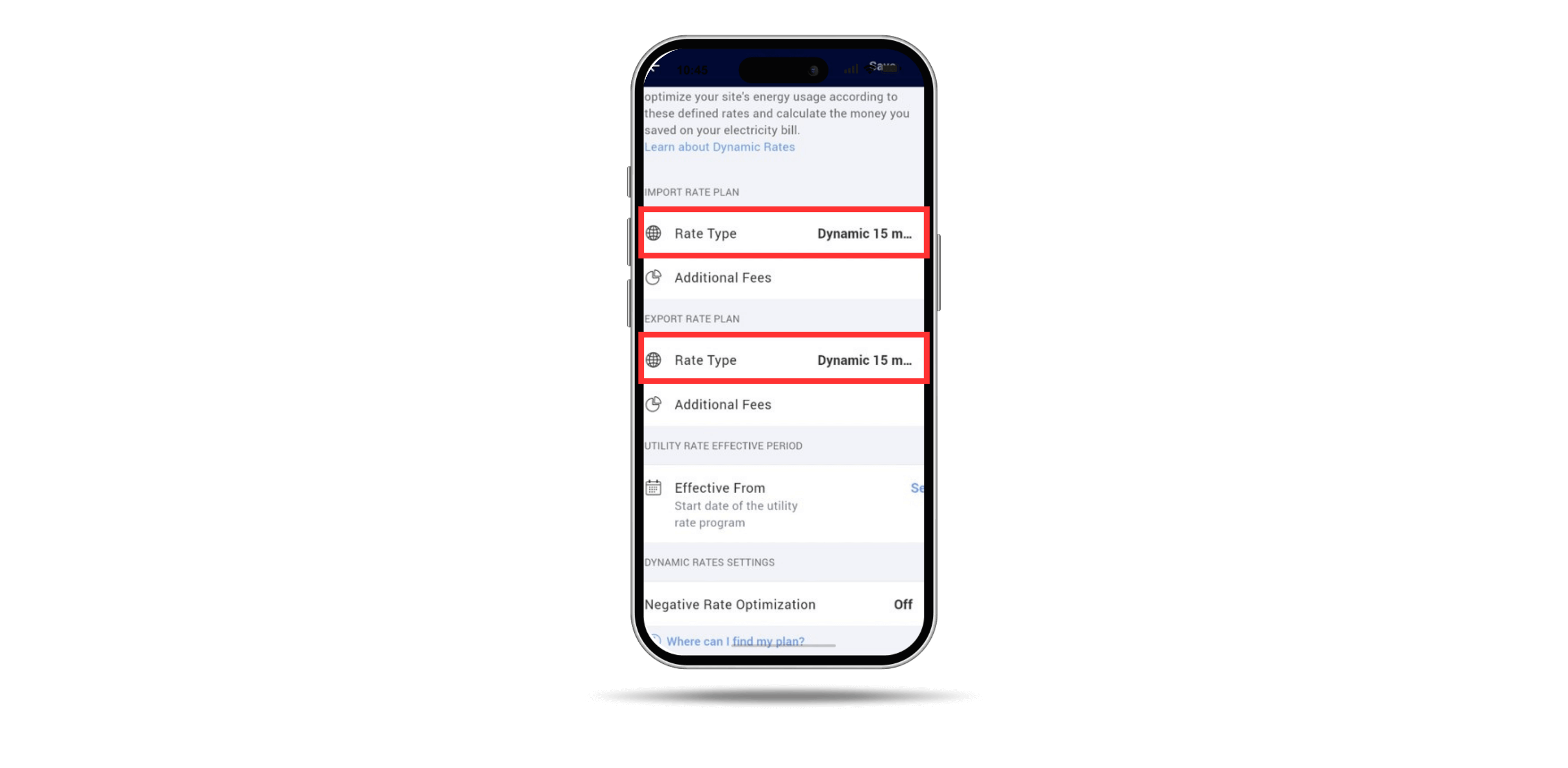
Specify the import & export rate plan according to Wholesale market rates. The Dynamic Rates settings are activated
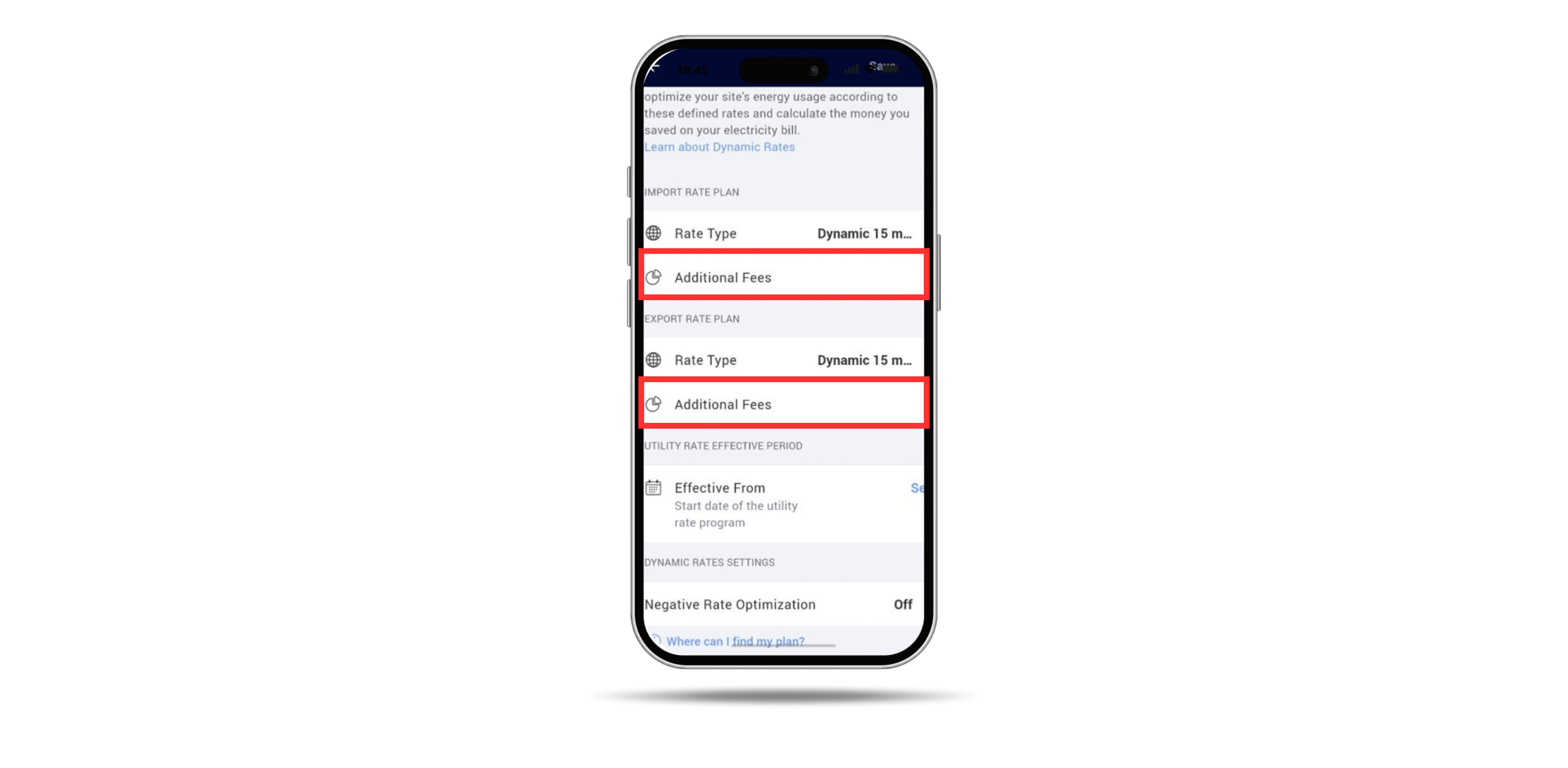
Tap Additional Fees to set any fees that were charged on top of the Wholesale market rates
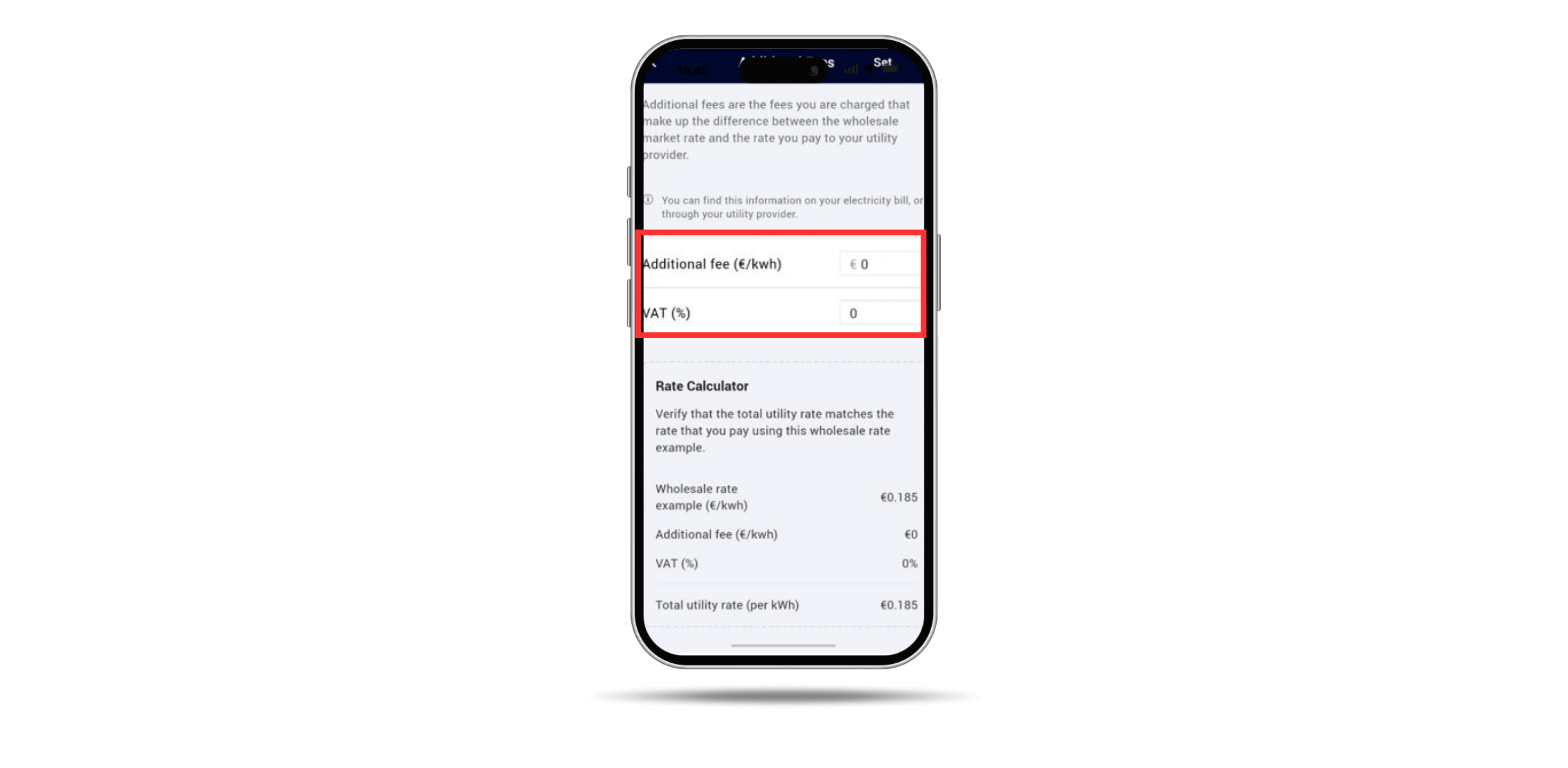
Once your additional import/export fees are configured, tap Set
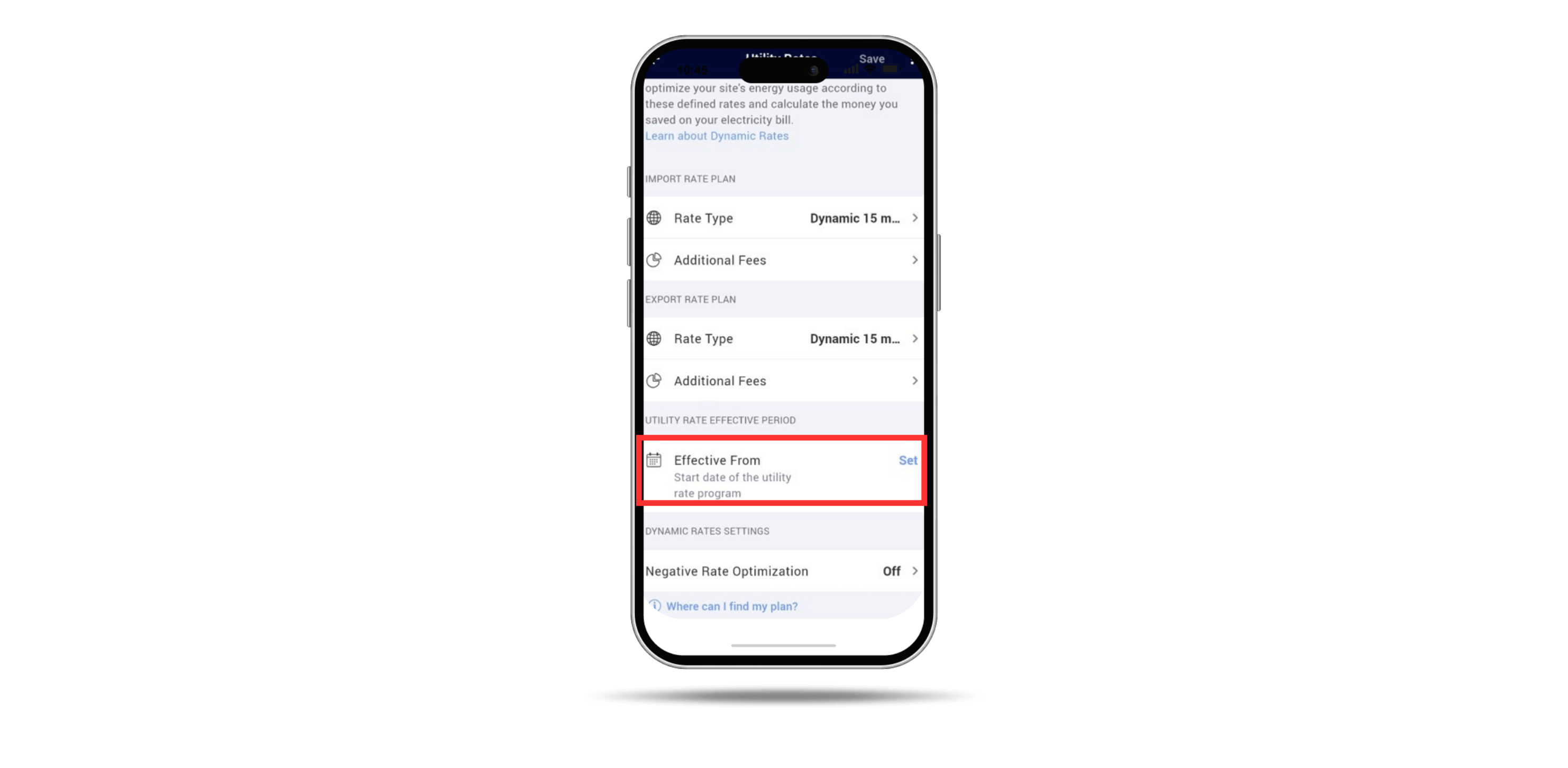
Set the date from which the utility rate program is effective
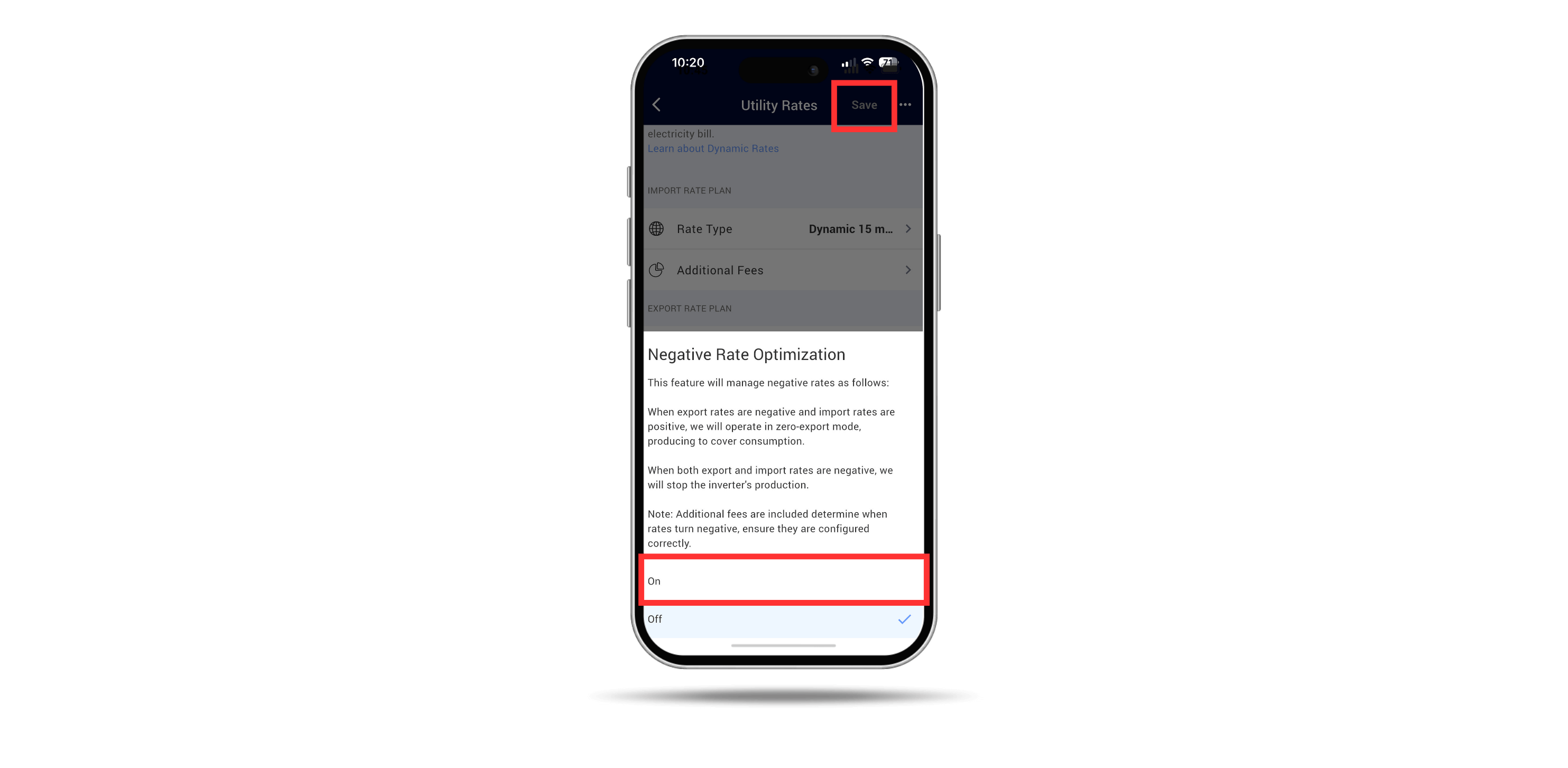
Enable the feature by tapping On, and then tap Save. Your system will then be setup for negative rate optimization.
Important Notes!
- NRO is available for all SolarEdge three phase commercial inverters with FW version 4.23.529 or higher.
- To make sure that the NRO feature works correctly, it is important to add in the additional fees being charged into the application. You can find these amounts on your electricity bill or by contacting your electricity supplier directly
- Some countries have divided their area into separate Bidding Zones. These zones may have slightly different import or export rates compared to other Bidding zones. If this feature is available in your country, it appears in the Utility Rates screen where you may select your Bidding zone in place of the default value
- To learn more about SolarEdge’s NRO capabilities, read this Application Note.